

Connecting a domain usually takes only a few minutes, but DNS conflicts or incorrect records can sometimes prevent verification from completing successfully. This guide explains the most common domain connection errors, what they mean, and how to fix them quickly.
Overview
Domain connection issues are usually caused by conflicting DNS records, incorrect values, or existing domain connections.
This guide helps you troubleshoot:
Multiple A record conflicts
AAAA record conflicts
CAA record conflicts
Incorrect DNS configurations
Existing domain connection issues
Most DNS changes begin working within minutes, although full propagation can sometimes take up to 48 hours.
Multiple A Record Conflicts
An A record connects your domain to a specific IPv4 address.
If multiple A records exist for the same root domain, DNS providers may not know which server should respond, causing verification failures or website loading issues.
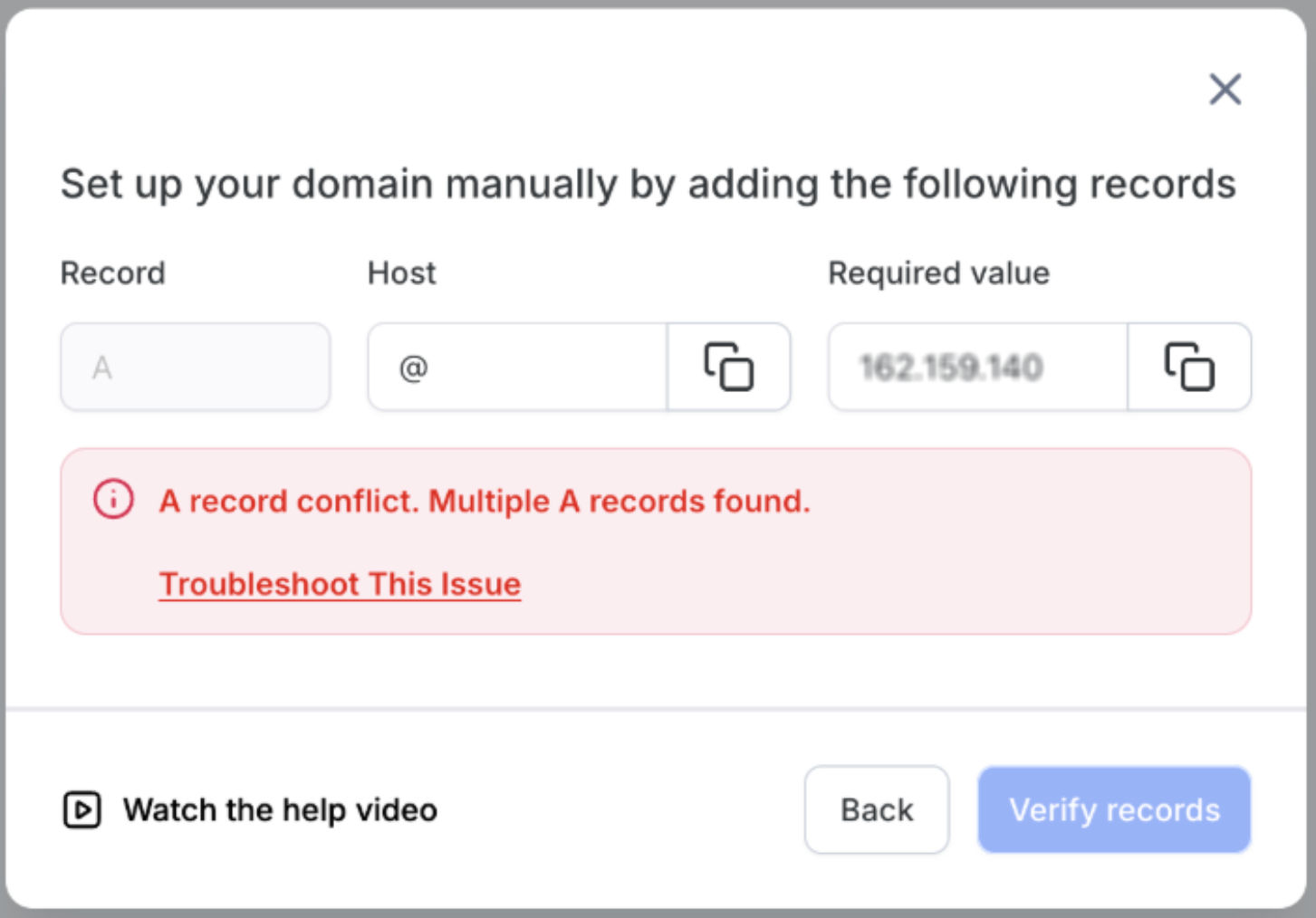
This image shows the error displayed when multiple A records are detected for the domain.
Review your DNS records and remove duplicate or conflicting A records pointing to different IP addresses.
How To Fix It
Open your domain registrar or DNS provider settings
Locate your DNS management panel
-
Find A records using:
@your root domain
subdomains pointing to different IPs
Remove unnecessary or duplicate A records
Save changes
Wait a few minutes before verifying again
AAAA Record Conflicts
AAAA records are used for IPv6 addresses.
If an AAAA record exists while the system expects only IPv4 records, the connection process may fail.
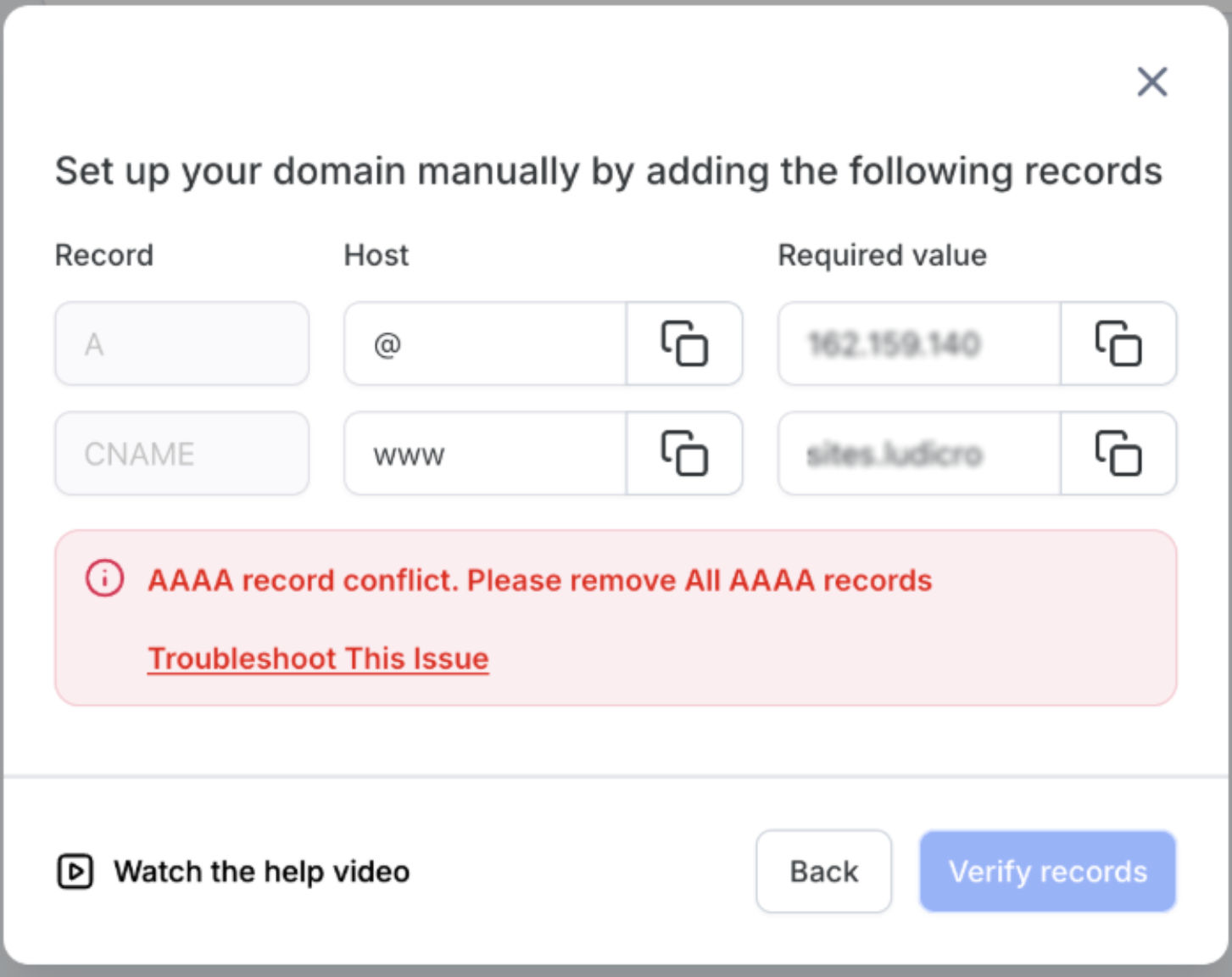
This image shows the warning displayed when an IPv6 AAAA record conflicts with the required DNS setup.
Delete unnecessary AAAA records before retrying verification.
How To Fix It
Open your DNS management panel
-
Locate records labeled:
AAAAIPv6
Remove the conflicting AAAA record
Save changes
Retry domain verification after a few minutes
Important Note for Cloudflare Users
Cloudflare may sometimes display IPv6 results even when no visible AAAA record exists because of proxy behavior.
Always verify directly inside the DNS records list to confirm whether a true AAAA record exists before making changes.
CAA Record Conflicts
CAA records control which certificate authorities can issue SSL certificates for your domain.
If the required certificate authority is not authorized, SSL generation may fail.
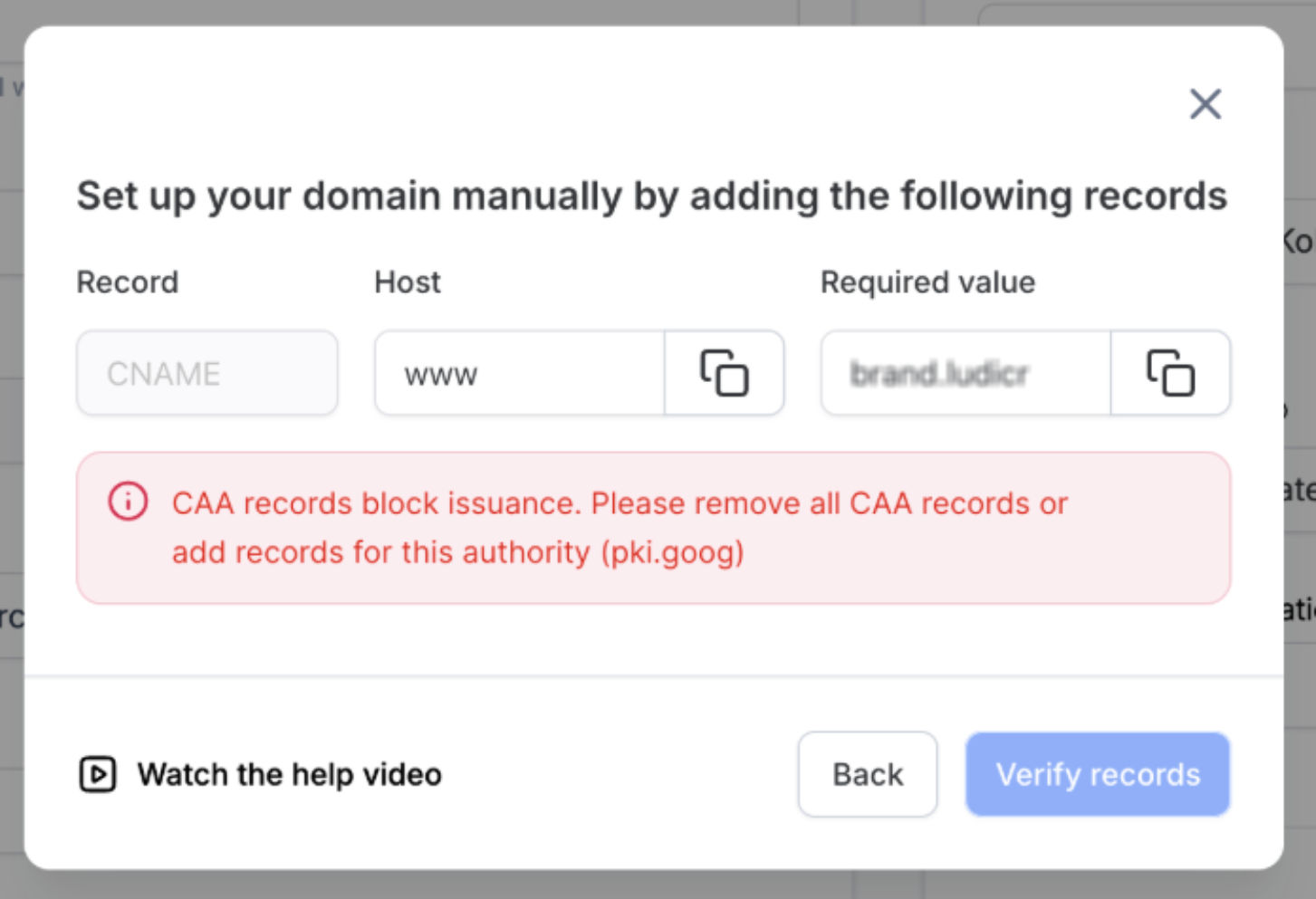
This image shows the warning displayed when a required certificate authority is blocked by an existing CAA record.
The message indicates the required authorization value needed for SSL issuance.
How To Fix It
Recommended Fix
Open your DNS settings
Locate the CAA record
Remove the conflicting CAA record
Save changes
Retry verification
Advanced Option
Instead of deleting the CAA record entirely, advanced users can add the required authorization value:
pki.goog
This allows SSL certificates to be issued while keeping other CAA restrictions in place.
DNS Records Do Not Match
This error appears when the required DNS records cannot be detected or do not match the expected values.
This can happen because of:
Incorrect DNS values
Missing records
Conflicting records
DNS propagation delays
Old DNS configurations still cached
This image shows the verification error displayed when the required A record or CNAME record cannot be found.
The message helps identify which DNS record is missing or incorrectly configured.
How To Fix It
Verify Your DNS Records
Use a DNS lookup tool to confirm your records are publicly visible.
Check that:
A records point to the correct IP address
CNAME records point to the correct target
No conflicting records exist
Remove Conflicts
Remove duplicate A records if only one is required
Remove conflicting AAAA records if using IPv4 only
Remove conflicting CNAME entries if necessary
Retry Verification
Save all DNS changes
Wait a few minutes
Retry domain verification
Important Note for GoDaddy Users
If your domain is parked, it may not connect properly.
To fix this:
Open your domain settings
Remove domain parking
Save changes
Retry verification
Domain Connected Elsewhere
Sometimes a domain is already connected to another account or workspace.
If this happens:
Disconnect the domain from the previous location
Or contact support for assistance releasing the domain connection
DNS Propagation & Additional Notes
DNS changes are not always instant.
Keep the following in mind:
Most changes update within minutes
Full DNS propagation can take up to 48 hours
Browser cache may temporarily show outdated results
Incognito mode can help verify updated DNS behavior
Using a DNS lookup tool can help confirm whether your changes have propagated correctly.
Frequently Asked Questions
Q: Why does my domain still fail verification after updating DNS?
DNS propagation may still be in progress. Wait a few minutes and retry verification.
Q: What is an A record?
An A record connects your domain to an IPv4 server address.
Q: What is an AAAA record?
An AAAA record connects your domain to an IPv6 address.
Q: Can I keep my CAA records?
Yes. Advanced users can modify existing CAA records instead of deleting them entirely.
Q: Why does Cloudflare still show IPv6 results?
Cloudflare proxy behavior may display IPv6 routing even without a visible AAAA record.
Q: How long do DNS changes take?
Most DNS changes update quickly, but global propagation may take up to 48 hours.